





























































































































































xTool M1 Ultra The World's First 4-in-1 Craft Machine
xTool M1 Ultra: The World's First 4-in-1 Craft Machine
The xTool M1 Ultra is an all-in-one craft machine designed for creators, small businesses, DIY makers, crafters, and gift makers who want to cut, engrave, print, draw, and foil with one compact device.
Combining laser cutting, laser engraving, inkjet printing, blade cutting, and pen drawing, the M1 Ultra replaces multiple machines while helping you create personalized gifts, home décor, apparel, paper crafts, custom signs, labels, cards, and more.
Quick Specs
| Machine Type | 4-in-1 Craft Machine |
| Available Laser Power | 10W or 20W Diode Laser |
| Processing Modes | Laser Cutting, Laser Engraving, Inkjet Printing, Blade Cutting, Foiling, Pen Drawing |
| Working Area | 300 mm × 300 mm |
| Inkjet Area | 296 mm × 286 mm |
| Maximum Speed | 400 mm/s |
| Positioning | Pin-Point™ Positioning |
| Software | xTool Studio |
| Connectivity | USB / WiFi / IP |
Compare Packages
| Feature | Advanced Bundle | Deluxe Bundle | Ultimate Craft Bundle |
|---|---|---|---|
| M1 Ultra Machine | ✔ | ✔ | ✔ |
| Crafting Accessories | Essential | Expanded | Most Complete |
| Best For | Getting Started | Growing Craft Businesses | Full Creative Studio Setup |
| Creative Flexibility | Good | Better | Best |
Why Choose the xTool M1 Ultra?
Four Creative Tools in One Machine
- Laser Mode: Engrave and cut wood, acrylic, leather, paper, MDF, and more.
- Inkjet Mode: Add vivid color printing to paper, cardstock, wood, canvas, acrylic, and other compatible surfaces.
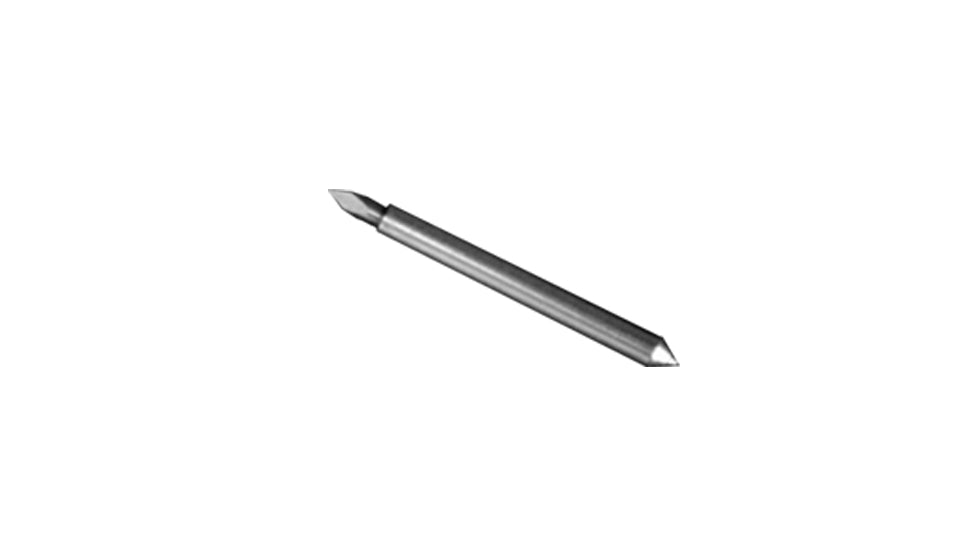
- Blade Mode: Cut paper, cardstock, vinyl, PVC, leather, and other craft materials.
- Pen Mode: Draw, write, and foil with compatible pens and accessories.
Made for 1000+ Materials
From soft paper crafts to wood, leather, acrylic, vinyl, canvas, cardstock, and more, the M1 Ultra gives creators the flexibility to work across a wide range of materials and project types.
Easy Swap™ Design
Switch between laser, blade, inkjet, and pen modules in seconds. This makes it easier to combine multiple techniques in one project without jumping between different machines.
Perfect for Mixed-Media Projects
Create layered projects that combine cutting, engraving, printing, drawing, and foiling. Ideal for personalized gifts, cards, labels, packaging, apparel decorations, home décor, and craft products.
Ideal Applications
- Personalized gifts
- Greeting cards
- Custom stickers
- Home décor
- Wood signs
- Paper crafts
- Vinyl projects
- Leather crafts
- Custom apparel decorations
- Holiday decorations
- Party supplies
- Small business packaging
- Labels and tags
- Foil art
- DIY projects
Technical Specifications
| Laser Type | 10W or 20W Diode Laser |
| Laser Cutting Capacity | 20W: Up to 10 mm Basswood / 8 mm Acrylic in one pass |
| Laser Cutting Capacity | 10W: Up to 6 mm Basswood / 5 mm Acrylic in one pass |
| Blade Cutting Capacity | Fine-Point Blade: 1.5 mm / Cutting Blade: 2.5 mm |
| Working Area | 300 mm × 300 mm |
| Inkjet Working Area | 296 mm × 286 mm |
| Maximum Speed | 400 mm/s |
| Maximum Processing Height | Up to 138 mm with riser base, depending on mode |
| Rotary Engraving Diameter | Up to 99 mm with riser base |
| Positioning Precision | 0.02 mm |
| Software | xTool Studio |
| Supported Systems | Windows / macOS |
| Product Dimensions | 620 mm × 498 mm × 178 mm |
| Product Weight | 37.48 lb (17 kg) |
Build Your Creative Studio with One Machine
The xTool M1 Ultra is built for creators who want more creative freedom without filling their workspace with multiple machines. Whether you are making gifts, selling custom products, creating paper crafts, decorating apparel, or building a small handmade business, the M1 Ultra gives you the flexibility to create more with less space, less setup, and more control.
| Peel | |
|---|---|
| Equipment | |
| Image | |
| Pressure | |
| Application Temperature | |
| Time |