

































































































































Skip to content
en
CAD

Bloom Your Business Into Profit

Roland Printers & Cutters

Roland printers and cutters for professional results

High-performance equipment that delivers precision, speed, and consistent quality for every project.

Roland printers are known for producing detailed graphics and durable finishes that meet the demands of modern businesses. Our Roland collection includes printers and cutters designed to deliver vibrant colors, sharp lines, and long-lasting performance. These Roland printers provide flexibility for signage, apparel decoration, and promotional products, making them a versatile choice for growing shops. Easy-to-use controls simplify daily operation, while robust construction ensures reliability under heavy workloads. Whether you are starting out or scaling production, they give you efficiency without compromising on quality. Supported by Joto’s expertise and fast delivery, this collection helps you expand your services and impress customers with professional-grade results.
Filter

20 products

  • Sort by

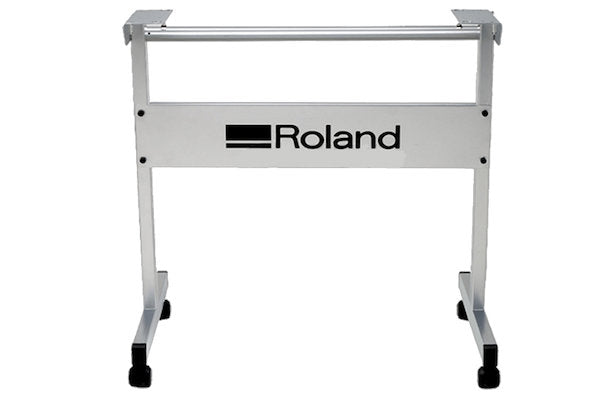
Roland GX 24 Cutter Stand - Joto Imaging Supplies Canada
$122.00 OFF Similar Products
Sale

Frequently Asked Questions:

What can I create with Roland printers and cutters?

Roland printers and cutters empower you to create a vast range of high-quality products, including custom apparel, durable outdoor signage, and intricate decals. By utilizing advanced eco-solvent or UV ink technologies alongside precision contour cutting, these machines handle materials like heat transfer vinyl, adhesive film, and specialty banners with ease. Professionals leverage this versatility to produce everything from personalized vehicle wraps to professional-grade labels and heat-applied graphics for sportswear. Choosing Roland equipment ensures your business delivers vibrant, long-lasting results that meet the rigorous standards of the garment decoration and sign industries.

What materials are compatible with Roland printers and cutters?

Roland printers and cutters are engineered for extreme versatility, supporting a wide array of media including eco-solvent vinyl, heat transfer vinyl, banner film, and canvas. Specialized UV models further expand compatibility to rigid substrates such as wood, metal, glass, and acrylic, as well as three-dimensional objects up to 4 inches high. By utilizing genuine Roland inks and optimized media, professionals can produce high-quality vehicle wraps, personalized apparel, architectural signage, and custom packaging prototypes with exceptional durability. This broad material support ensures technical precision across various industries, from commercial graphics to industrial marking.

How can I maintain my Roland printer or cutter to ensure long-term performance and durability?

To ensure the long-term performance and durability of your Roland printer or cutter, it is essential to perform regular manual cleanings around the printhead carriage and capping station to prevent ink buildup and debris accumulation. For cutting plotters like the Roland GS2-24, consistently inspect the cutting strip for grooves and clear the blade holder of any vinyl residue to maintain high-precision tracking and sharp contours. Additionally, utilizing genuine Roland parts and keeping your firmware updated through Roland DG Connect ensures technical accuracy and protects your investment in professional-grade digital decorating equipment. Following these expert maintenance protocols at Joto Imaging Supplies guarantees consistent output and extends the operational lifespan of your precision machinery.

How do I use a Roland printer and cutter to create custom heat transfer graphics?

To create custom heat transfer graphics using a Roland printer/cutter like the BN2-20, start by importing your vector artwork into VersaWorks 6 to configure your print settings and precision contour cut lines. The integrated system utilizes eco-solvent inks to produce vibrant, durable images on heat transfer vinyl while automatically switching to cutting mode to ensure pinpoint accuracy around your designs. Once the print-and-cut process is complete, weed the excess material and use a professional heat press to apply the graphic to your substrate for a high-quality, retail-ready finish. This streamlined workflow at Joto Imaging Supplies maximizes production efficiency while maintaining exceptional technical standards for apparel decoration.

Why is my Roland printer or cutter showing a pinch roller error or experiencing misaligned contour cuts?

Pinch roller errors on Roland printers often occur when the rollers are not accurately positioned over the grit rollers or if the sensor is dirty. Misaligned contour cuts are frequently caused by failing to calibrate the media gap and bidirectional settings or using the Center on Media function in VersaWorks, which can shift registration. For persistent errors, inspect the cut carriage flex cable for wear or cracks, as this component often requires replacement to restore reliable communication and hardware synchronization. Sustaining a clean encoder strip and grit rollers will further ensure high-precision tracking and professional-grade output quality.

How can I achieve professional-grade color vibrancy and high-quality results with Roland Printers & Cutters?

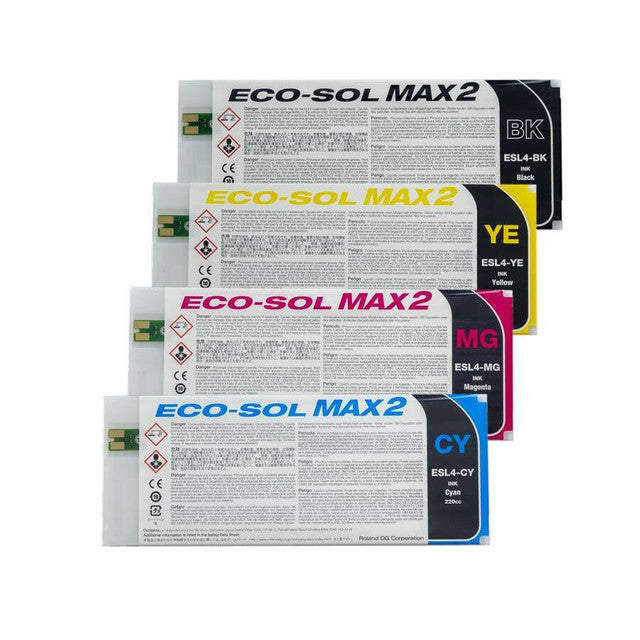
To achieve professional-grade color vibrancy with Roland printers and cutters, it is essential to utilize high-quality Roland Eco-Sol MAX or UV inks and perform regular manual media gap and bidirectional calibrations. Within the Roland VersaWorks RIP software, selecting the correct ICC profiles tailored to your specific substrate ensures precise color management and maximum gamut reproduction. Maintaining a stable production environment with humidity levels between 40% and 60% further prevents ink drying issues and ensures consistent, high-definition output across large-format runs. This technical synergy between hardware calibration and software optimization is critical for delivering the industry-leading print quality associated with Roland technology.

How can Roland printers and cutters enhance my business profitability and production efficiency?

Roland printers and cutters enhance business profitability by integrating high-speed printing and precision contour cutting into a single, streamlined workflow that reduces labor costs and material waste. By utilizing advanced devices like the VersaStudio BN2-20 and the GS2-24 cutter, shops can achieve superior production efficiency with faster output speeds and automated media handling. At Joto Imaging Supplies, we provide these professional-grade solutions coupled with powerful VersaWorks software to ensure consistent, high-margin results for custom apparel and signage. This technical synergy allows businesses to scale rapidly while maintaining the exceptional color accuracy and durability required for long-term commercial success.

How should I store Roland printers, inks, and media to ensure optimal performance and operator safety?

To ensure optimal performance and operator safety, store Roland printers in a climate-controlled environment with stable humidity levels between 40% and 60%. Roland Eco-Sol MAX inks and specialty media should be kept in a cool, dry area away from direct sunlight and high temperatures to prevent chemical degradation or substrate warping. Proper storage of these professional-grade supplies preserves print head longevity and ensures consistent color accuracy across all your large-format production runs. Always keep inks in an upright position and ensure the storage area is well-ventilated to maintain a safe and efficient workspace.

How does the Roland BN2-20 and GS2-24 compare to other garment decoration methods like screen printing or direct-to-garment?

The Roland BN2-20 and GS2-24 offer superior versatility for short-run production compared to screen printing, which entails high setup costs and color limitations for low-volume orders. Unlike direct-to-garment printing that is largely restricted to cotton substrates, these eco-solvent systems utilize high-performance heat transfer media to deliver vibrant, durable graphics on a wide range of synthetic and dark fabrics. These desktop solutions leverage advanced print-and-cut technology and 500gf of cutting force to streamline workflows and eliminate the need for labor-intensive manual finishing. By integrating professional-grade VersaWorks software, Joto Imaging Supplies customers achieve exceptional color accuracy and detail while maintaining a significantly smaller production footprint than traditional industrial methods.

How can I calibrate custom media settings and VersaWorks RIP configurations to achieve perfect contour cut alignment and color consistency across large-format Roland production runs?

To achieve peak performance, start by performing manual Media Gap and Bidirectional calibrations on your Roland printer to ensure the hardware is perfectly synchronized with your specific substrate. In Roland VersaWorks RIP, use the Media Explorer to fine-tune ink limits and calibrate the Print & Cut alignment, ensuring optical sensors accurately track registration marks for precise contour cutting. For professional-grade color consistency, regularly re-linearize your ICC profiles within the RIP software to account for environmental variables like heat and humidity during large-format production runs. This rigorous calibration process at Joto Imaging Supplies guarantees that your graphics maintain high-definition detail and a flawless finish across every project.

Drawer Title
Similar Products